

Learning how to make a face swap meme is now quick and easy with VidMage. You can upload a meme image and a face photo, then use AI to replace the original face with the face you choose.
VidMage also supports GIFs and videos for face-swap memes, but the basic photo workflow takes only a few steps.
How to Make a Face Swap Meme Online
Follow these steps to face-swap a meme with VidMage:
Step 1: Open the VidMage Face Swap Meme tool and upload your meme image.
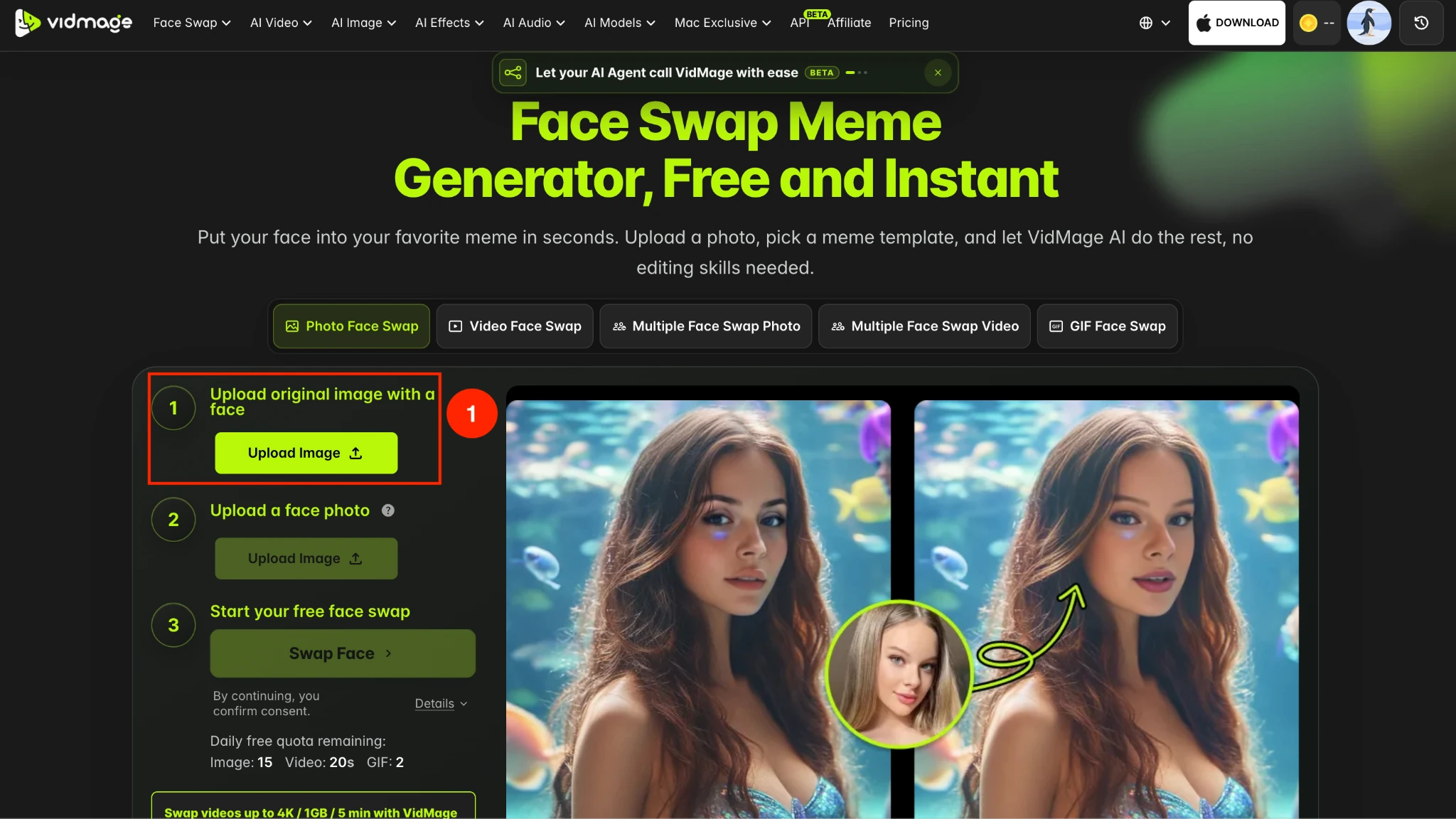
Step 2: Upload a photo of the face you want to add to the meme. Choose a clear photo where the face is easy to see.
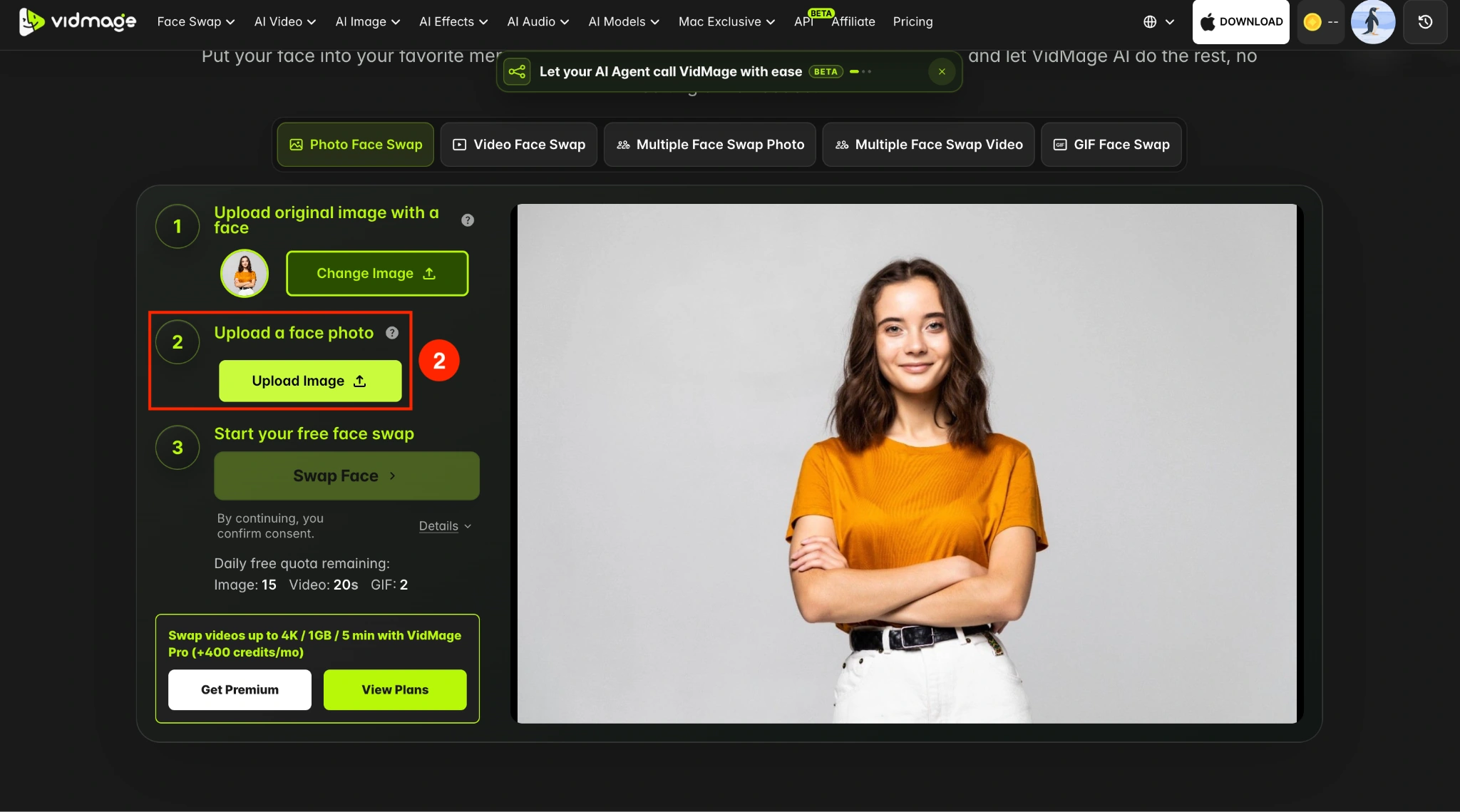
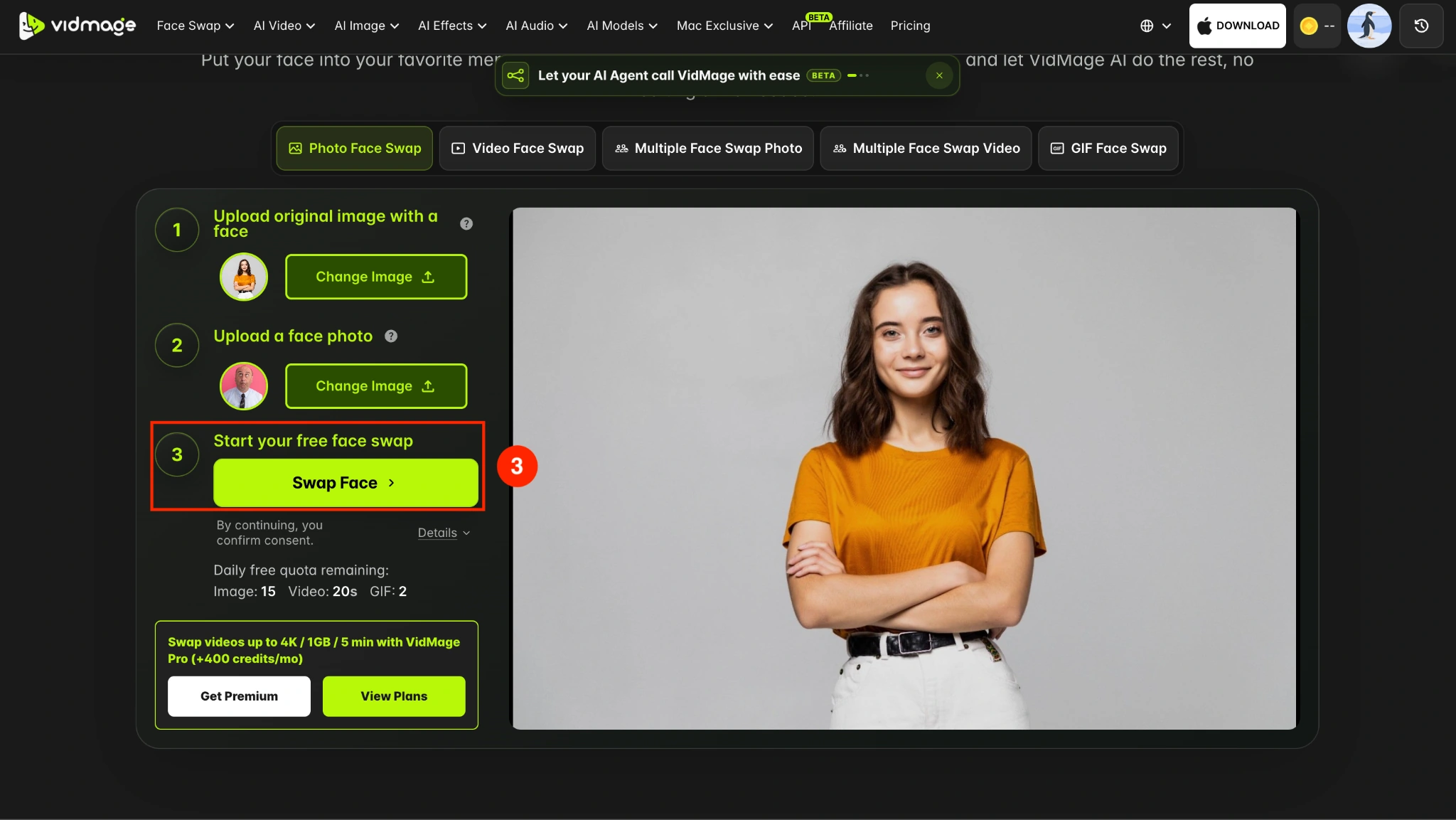
Step 3: Click Swap Face, and VidMage detects the face in the meme and blends the uploaded face into the image while matching the original angle and lighting.
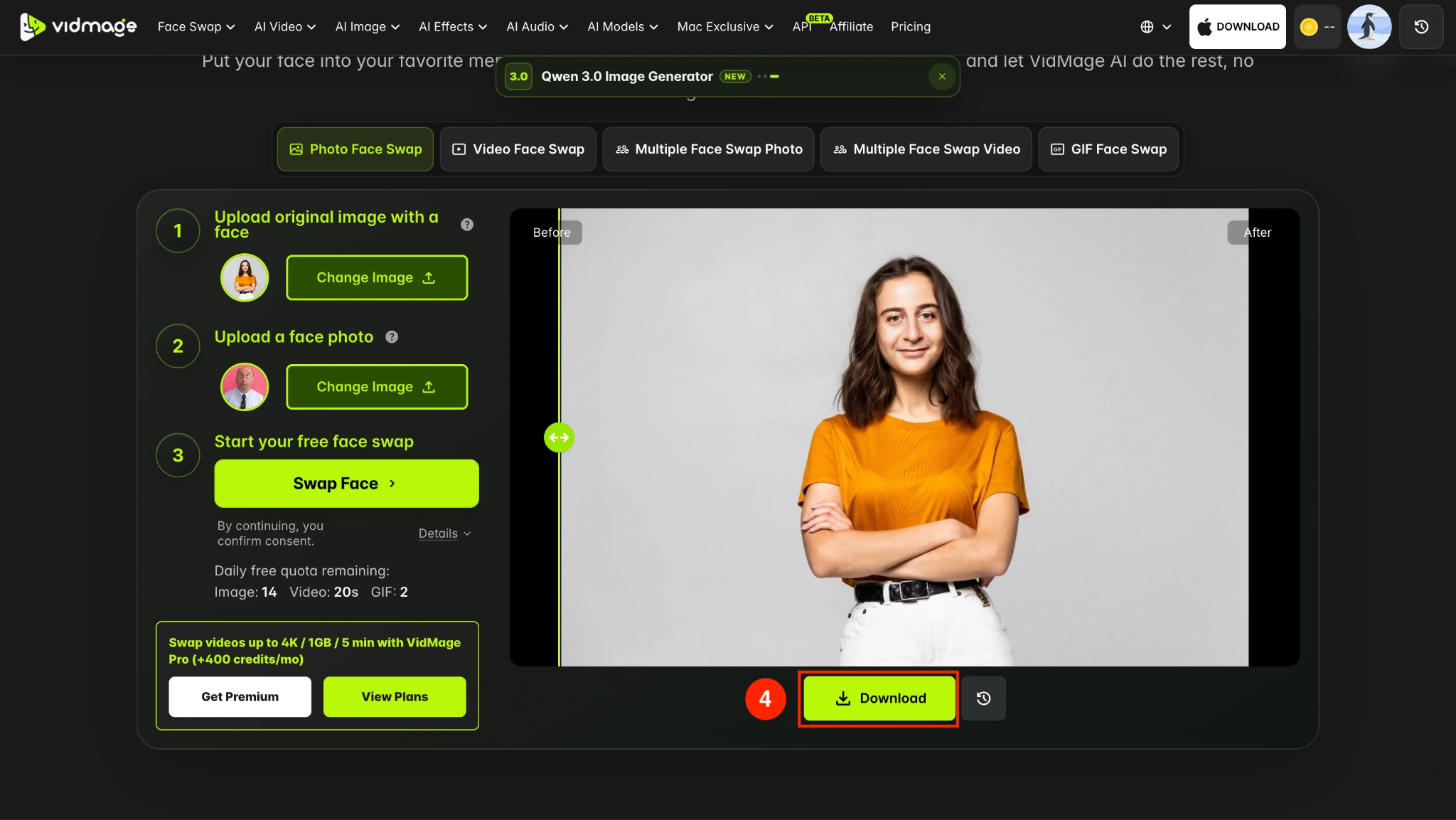
Step 4: Preview the result and click Download to save your meme.
How to Make a Face Swap Meme on Mac
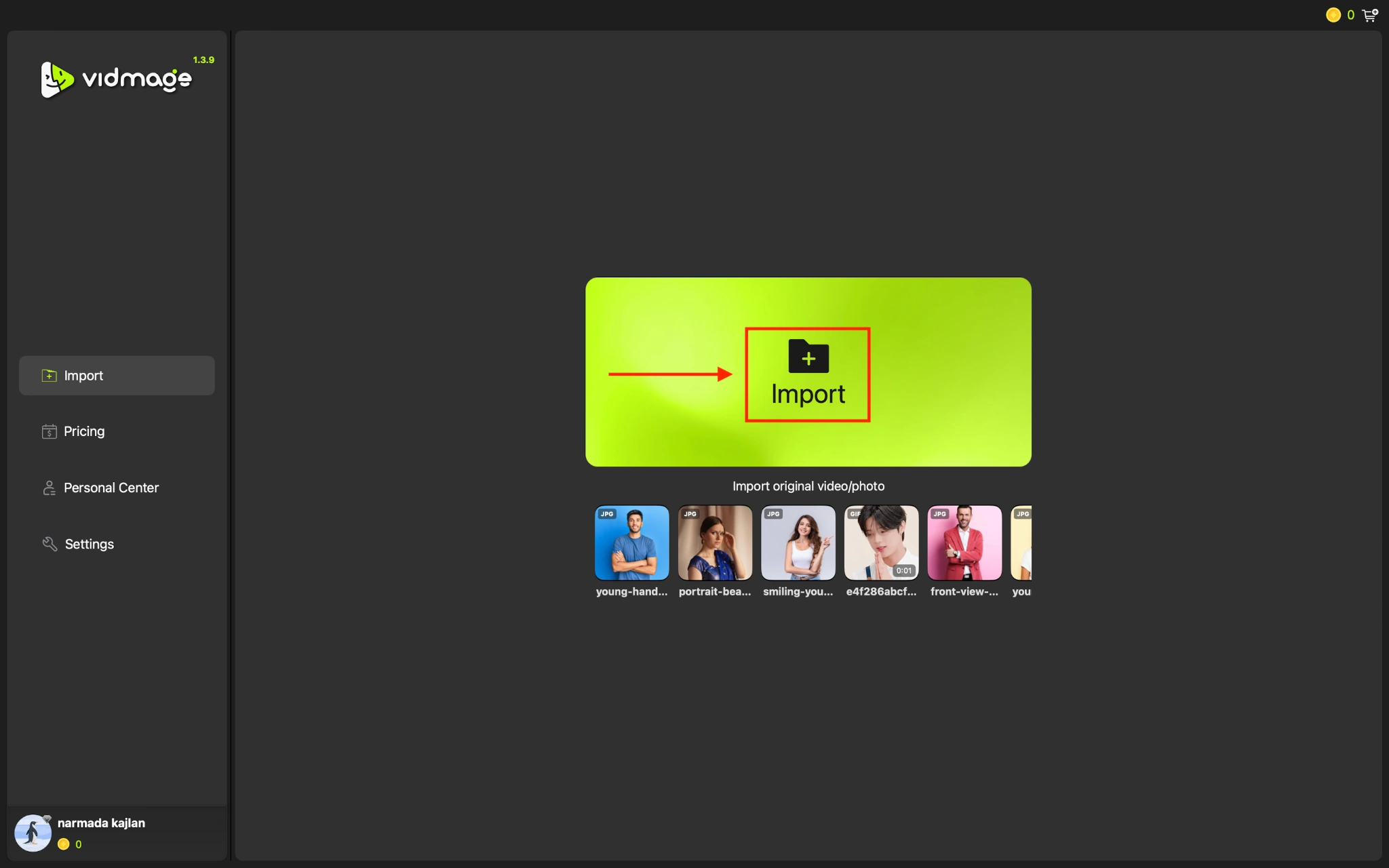
You can also create face swap memes with the VidMage Mac app. The app processes your files locally on your Mac.
Step 1: Open the VidMage Mac app and import the meme image you want to edit.
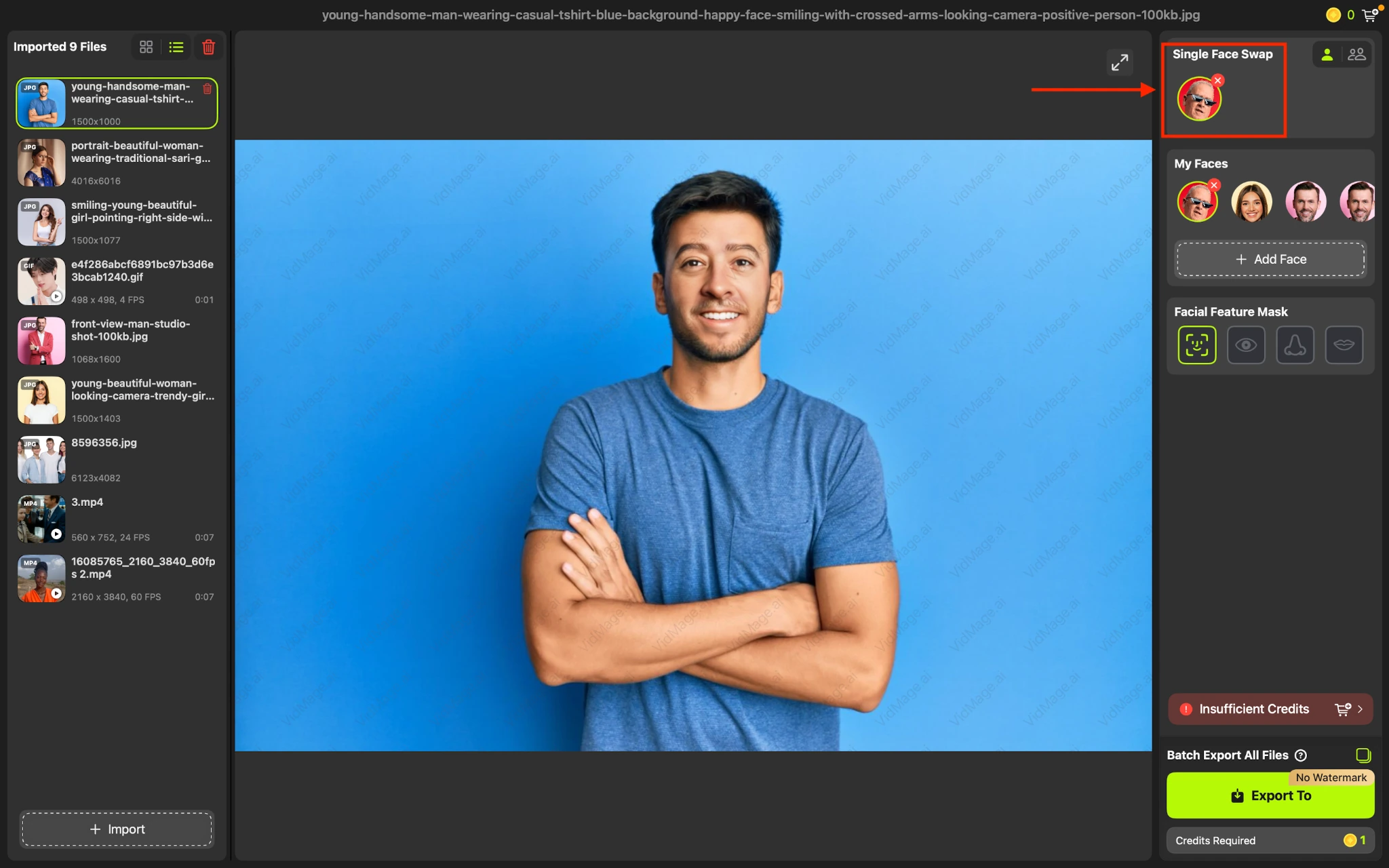
Step 2: Add the face photo you want to use for the swap.
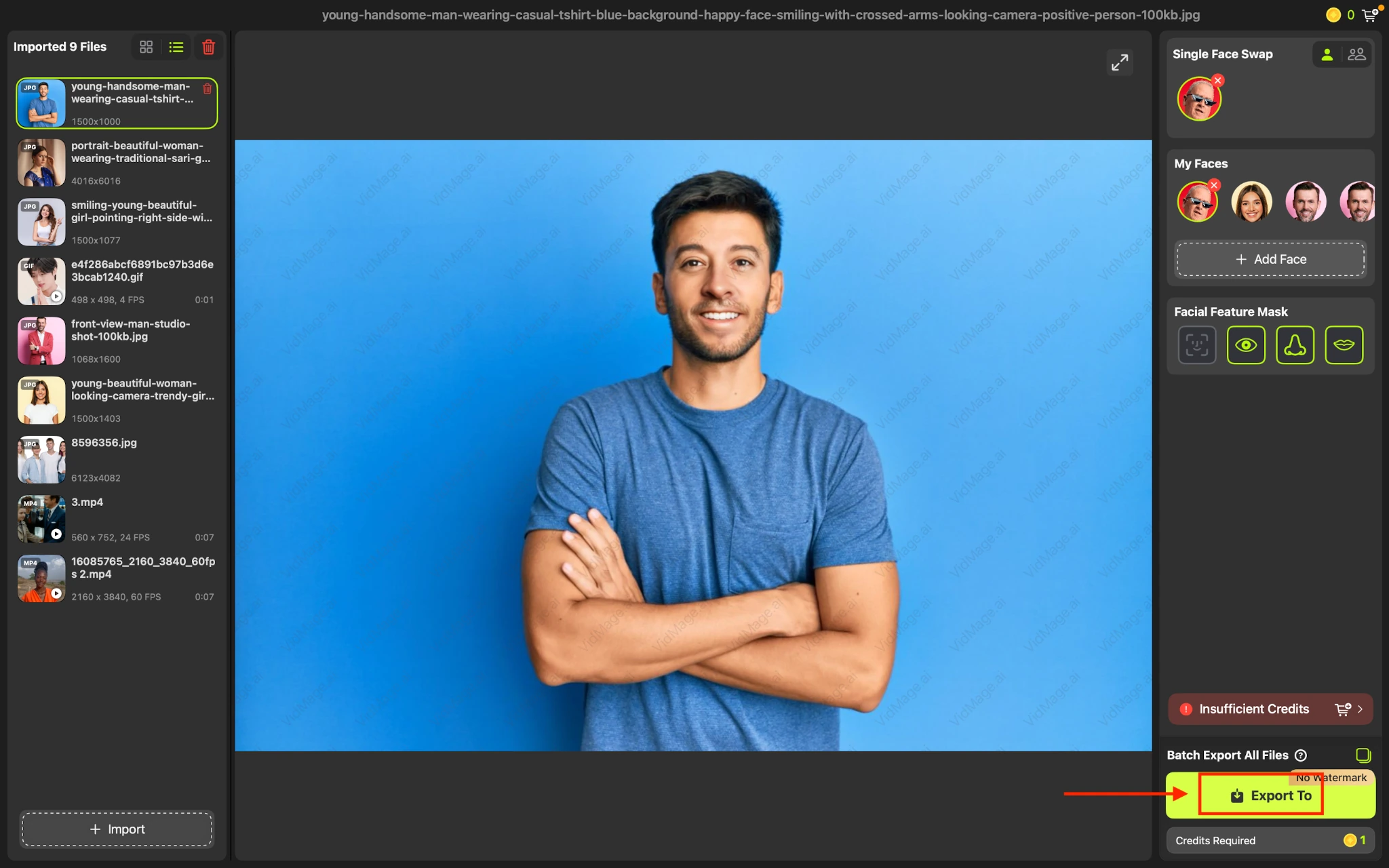
Step 3: Click Export to save the final result.
Tips for a Better Face Swap Meme
The source images can affect how natural the final meme looks. For a better face swap meme tutorial result:
- Use a clear, high-quality meme image.
- Choose a sharp face photo.
- Use a face with a similar angle to the original.
- Avoid faces covered by hair, hands, or other objects.
- Use photos with clear and even lighting.
Face Swap Meme File Formats and Free Usage
For photo face swaps, VidMage supports PNG, JPG, JPEG, and WEBP files. VidMage also supports GIF and video formats for its respective face swap modes.
The free plan provides 15 image swaps per day. You can try the tool without creating an account, and free results do not include a watermark.
VidMage automatically deletes uploaded photos, GIFs, and videos within 2 hours of processing and does not use them to train AI models.
VidMage Mac App Compatibility
The VidMage Mac app processes face swaps locally on your device and works offline. It runs natively on Apple Silicon Macs.
The Mac app also supports features such as 4K output and batch processing, making it useful if you create multiple face swap memes regularly.
Try Face Swap Meme
Open the tool and follow the steps above.