

Learning how to swap facial features in a photo lets you change just the eyes, nose, or mouth instead of replacing the entire face. VidMage uses AI to blend the selected feature into the original photo while keeping the rest of the face unchanged.
Facial Feature Swap is available through the VidMage Mac app and supports individual feature edits for more precise results.
How to Swap Facial Features on Mac
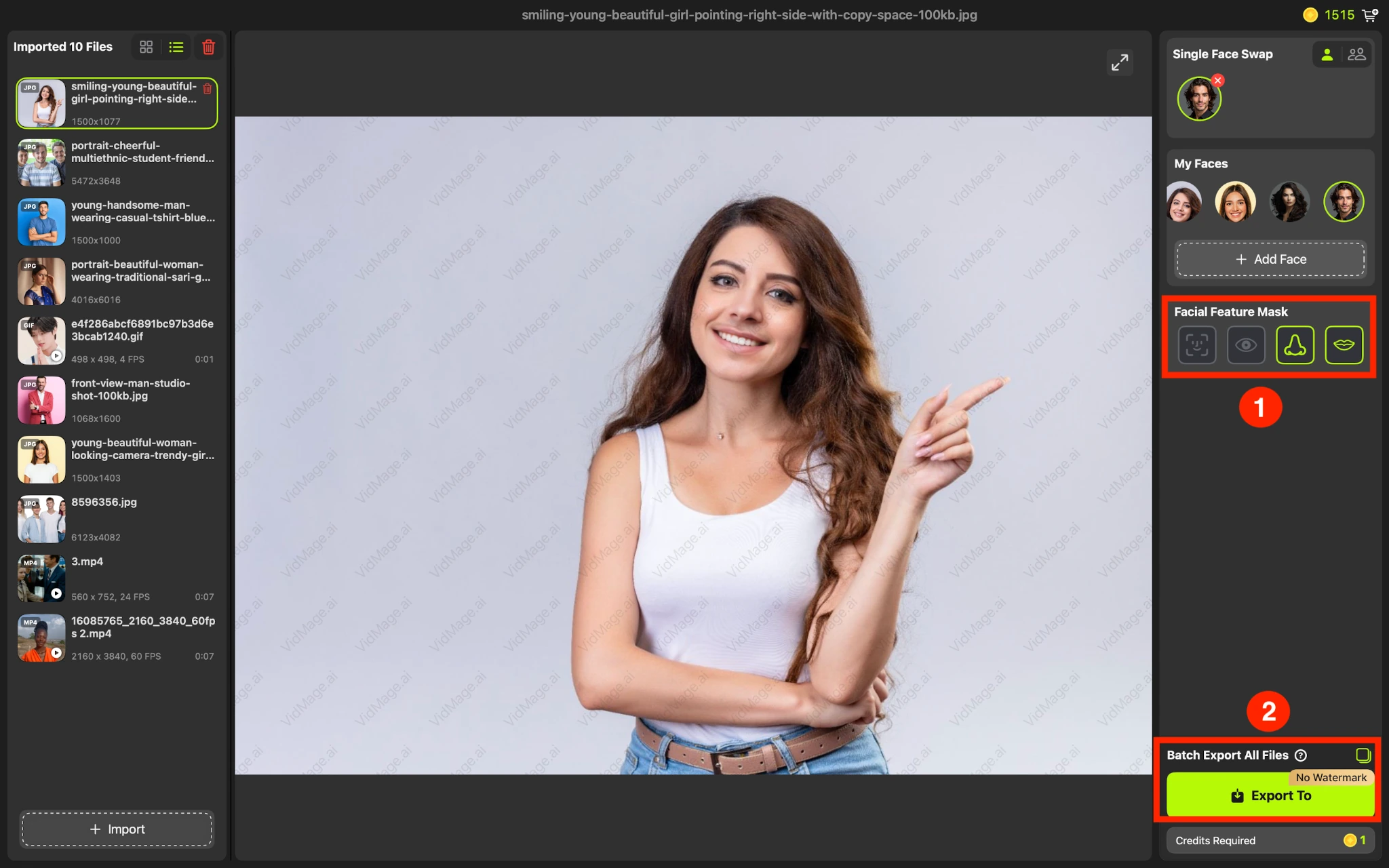
To learn how to swap facial features, follow these steps for a single-person photo.
Step 1: Open the VidMage Mac app to swap facial features and import the photo you want to edit.

Step 2: Add a reference photo containing the feature you want to use.
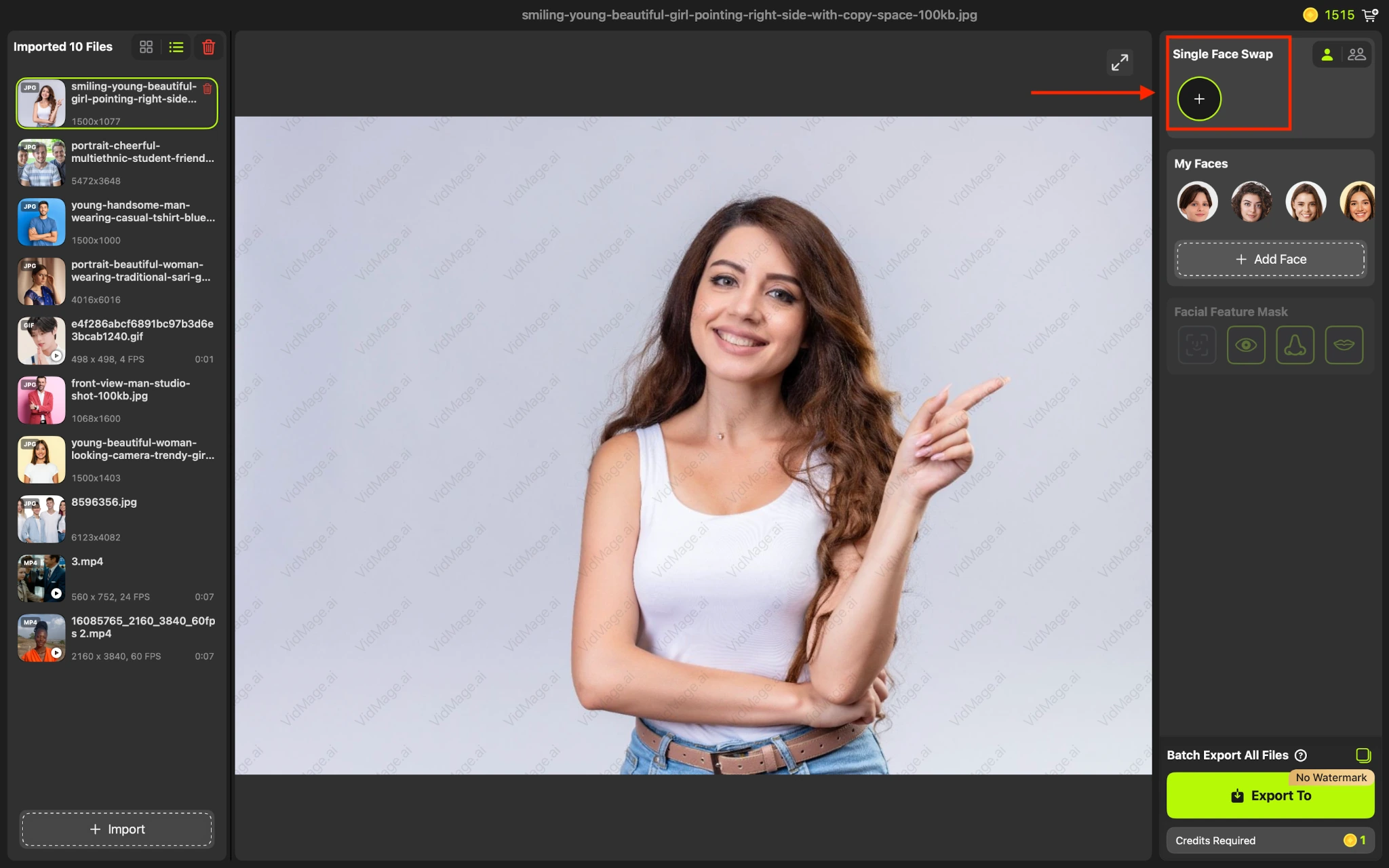
Step 3: Select the facial feature you want to replace. Choose Eyes, Nose, or Mouth. VidMage changes only the selected feature instead of replacing the complete face. Click the Import to button to save the final output.
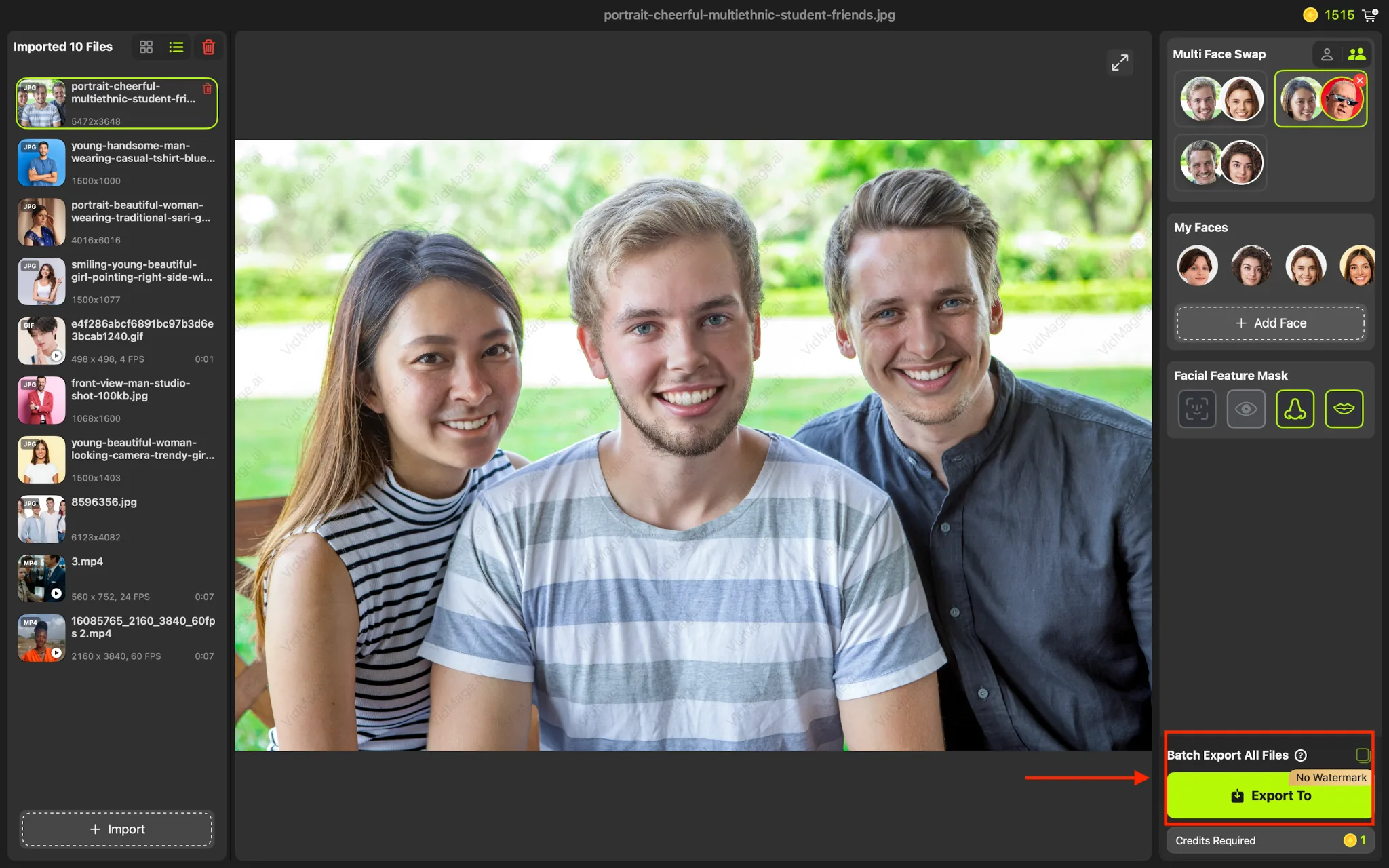
How to Swap Facial Features in a Group Photo
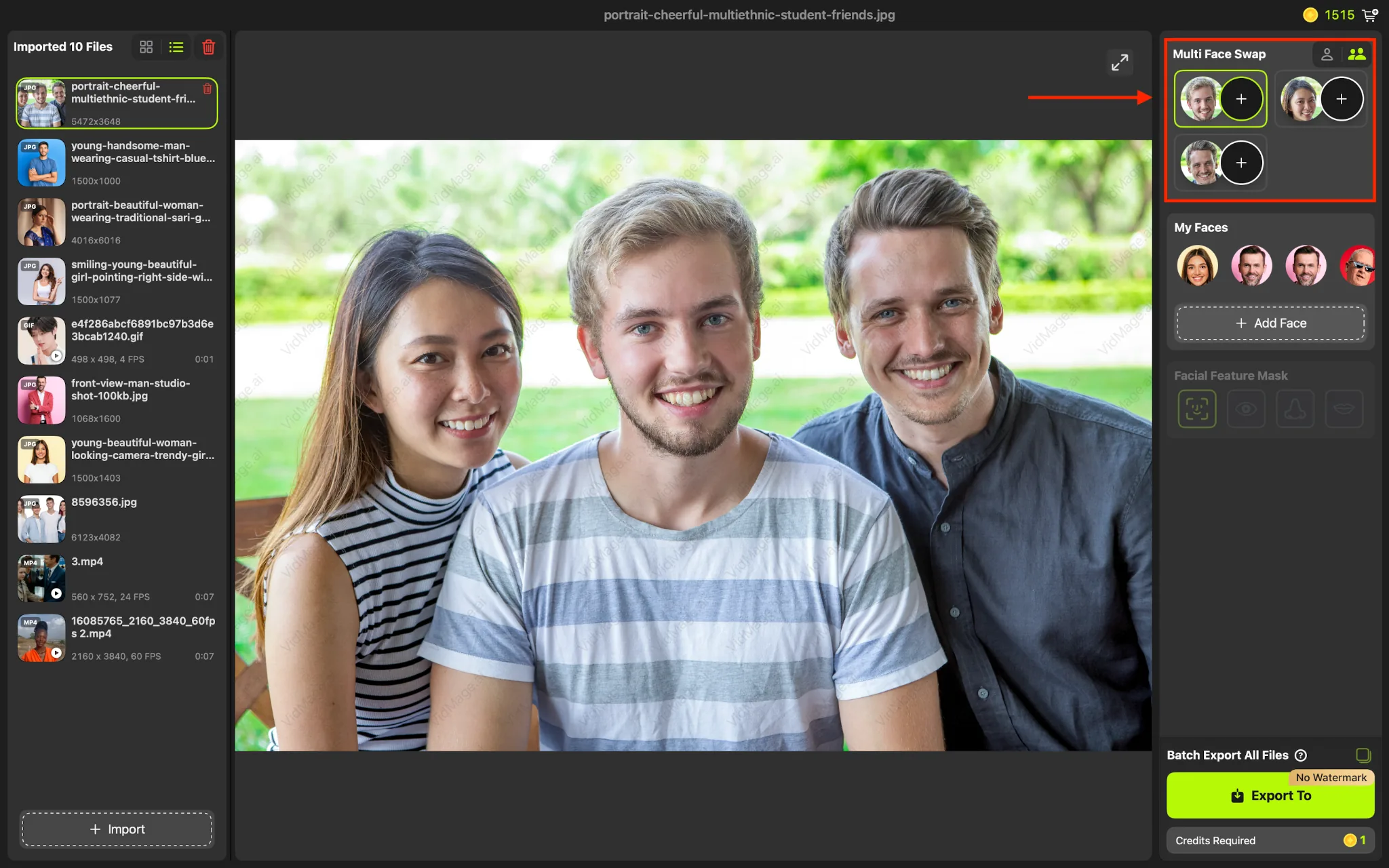
You can also use facial feature swap when a photo contains multiple people. This is useful when you want to change a specific feature on one person without changing the other faces.
Step 1: Import the group photo into the VidMage Mac app. VidMage automatically recognizes faces in the video. Add the reference photo; you can add the same for all faces or can add different faces.
Step 2: Select the facial feature to swap. Choose the feature you want to change and identify the person whose feature should be replaced.
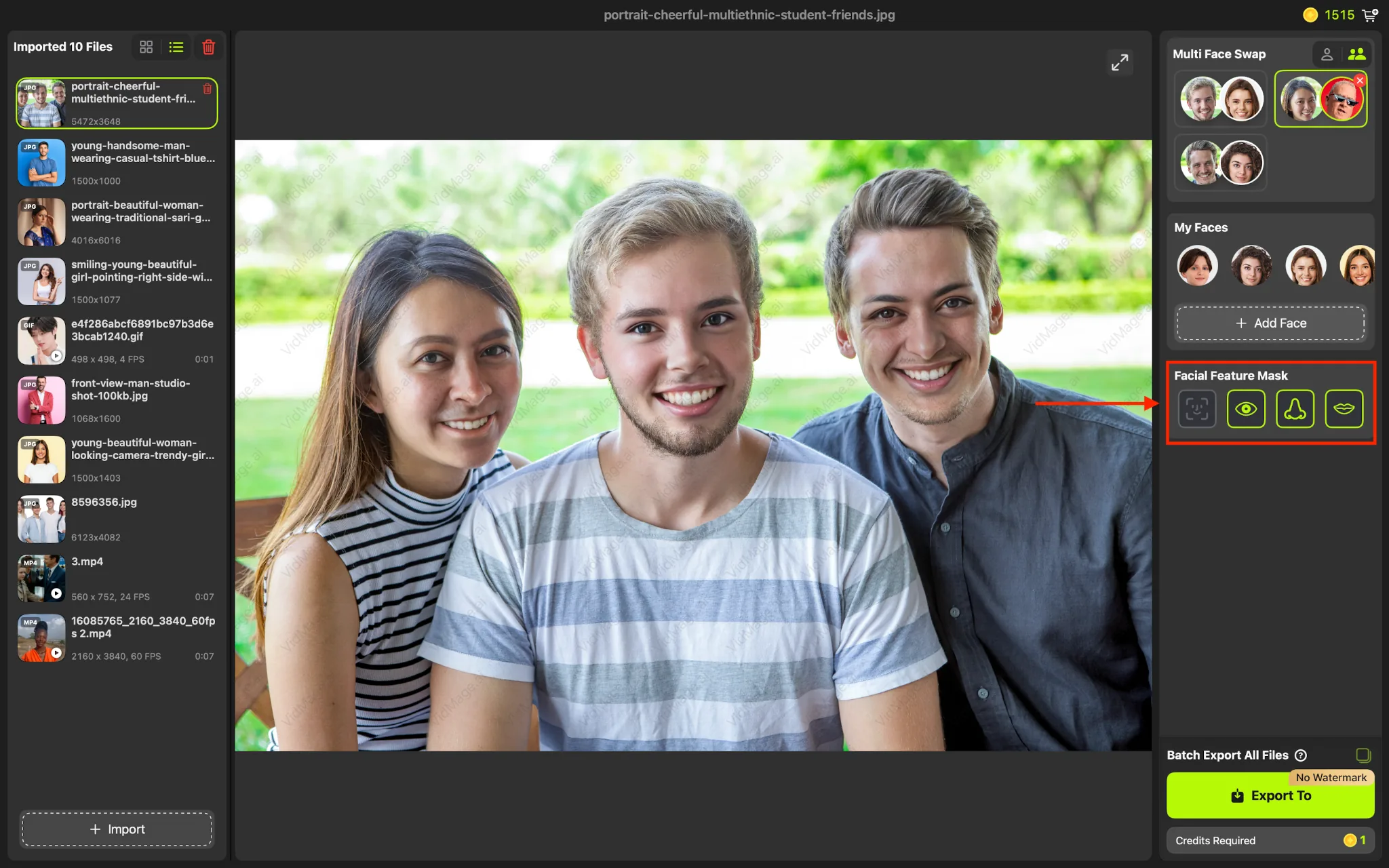
Step 3: Review the edited feature and the surrounding face to make sure the blend looks natural. Export the final image when you are satisfied with the result.
Facial Feature Swap File Formats and Free Usage
VidMage supports JPG, PNG, and WEBP images for facial feature swap.
You can try the feature without creating an account. Free users get 15 photo swaps per day, and generated results do not include a watermark.
For video content, VidMage also supports facial feature swaps across video frames. Video usage costs 1 credit per second.
VidMage Mac Requirements and Privacy
Facial Feature Swap runs locally through the VidMage Mac app and requires an Apple Silicon Mac (M1 or later).
The VidMage app processes facial feature swaps directly on your device, so you don't need to upload your photos to the cloud. This can be useful when working with private or sensitive images.
For the web-based VidMage tools, uploaded files are automatically deleted within 2 hours after processing. VidMage does not use uploaded content for AI training or share it with third parties.
Try VidMage for Mac
Open the tool and follow the steps above.