
To learn how to turn photos into cartoons, upload your image to VidMage, choose the cartoon style you want, and generate the new version. You can choose from more than 24 styles, including Anime, Manga, 3D Cartoon, Watercolor, Pixel Art, Comic, and other illustrated looks.
How to Turn Photos Into Cartoons With VidMage
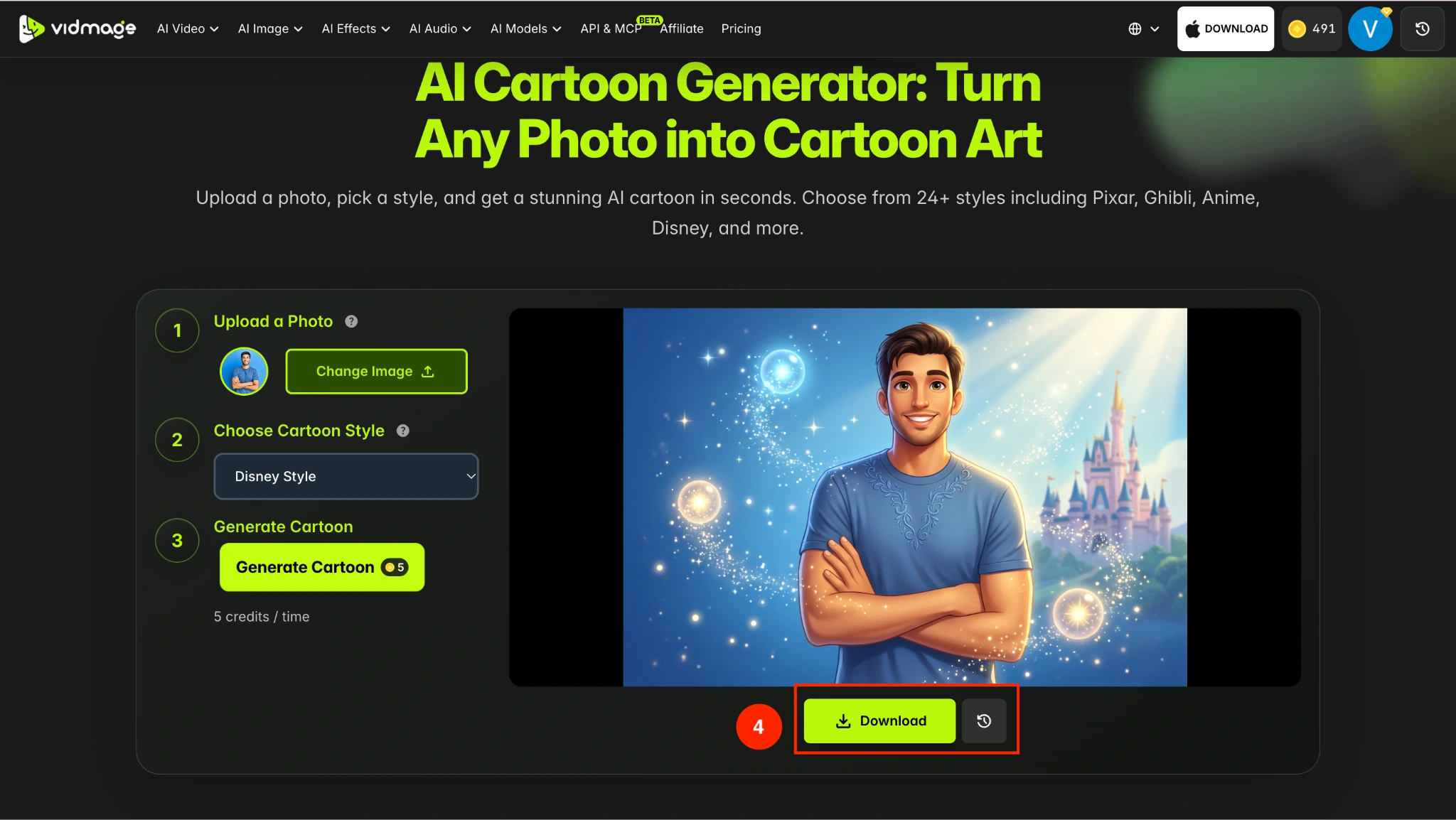
Follow these steps to learn how to turn photos into cartoons:
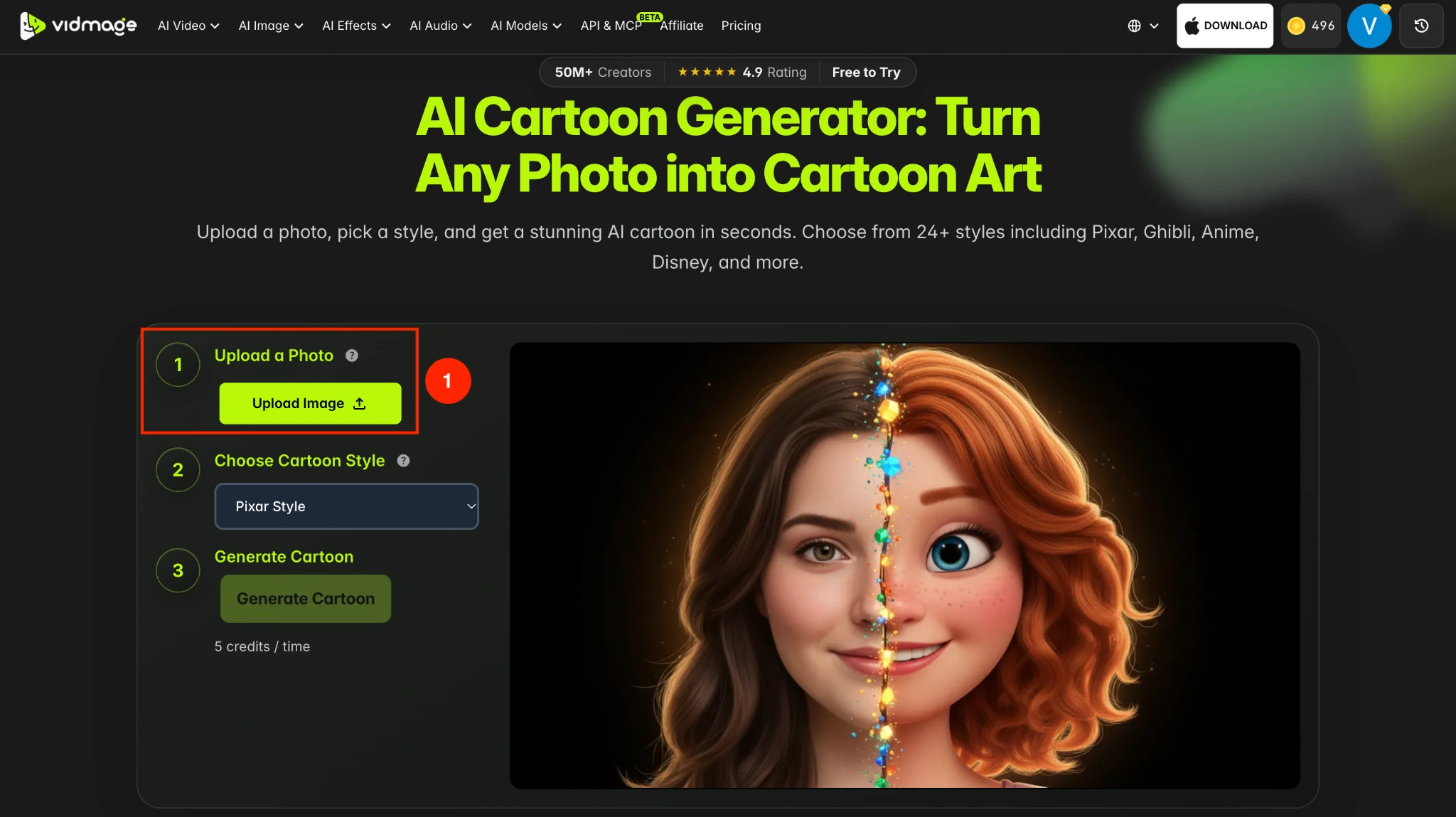
Step 1: Open the AI Cartoon Generator and click Upload Image under Upload a Photo. VidMage accepts JPG, JPEG, PNG, and WEBP images.
For better results, choose a clear, well-lit photo where the face or main subject is easy to recognize. This helps VidMage preserve important details when applying the cartoon style.
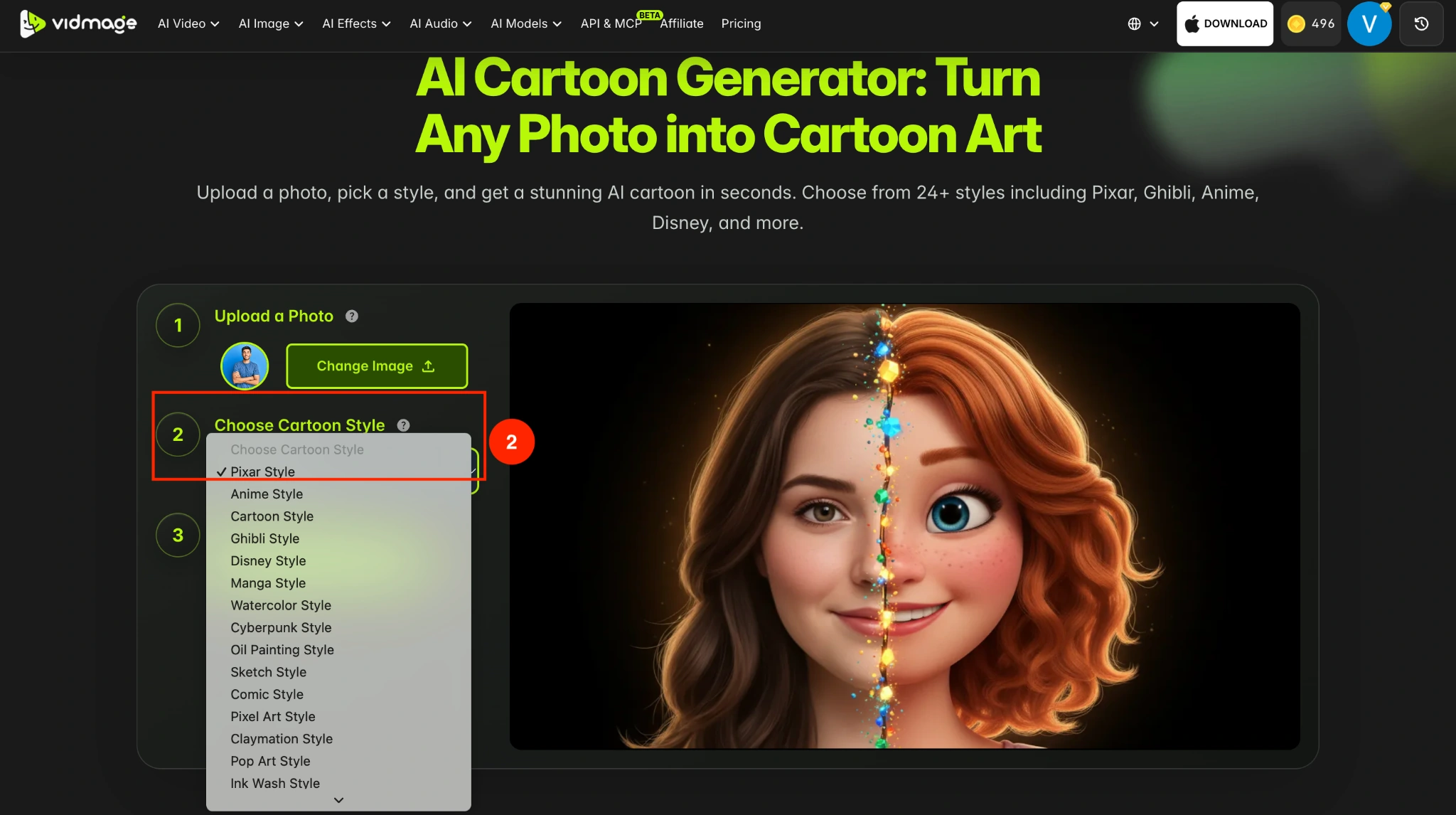
Step 2: Open Choose Cartoon Style and select the look you want. There are more than 24 options, including:
- Anime Style
- Cartoon Style
- Manga Style
- 3D Cartoon
- Watercolor Style
- Comic Style
- Pixel Art Style
- Claymation Style
- Sketch Style
- Cyberpunk Style
- Retro Anime
- Fun Caricature
You can use the same photo with different styles if you want to compare how each one changes the image.
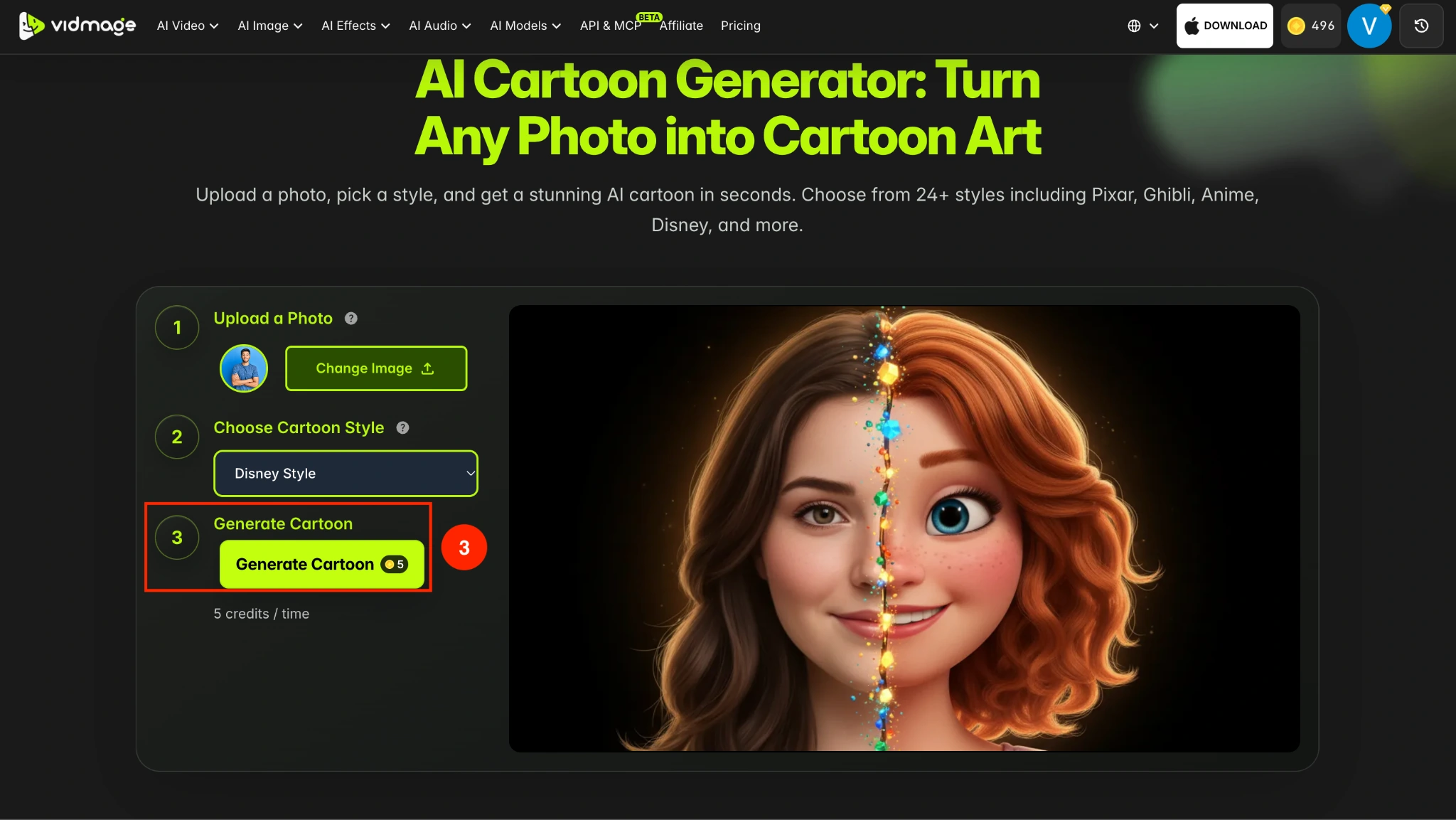
Step 3: Check the uploaded image and selected style, then click Generate Cartoon.
Step 4: Preview the generated cartoon and check whether the facial features and important details look recognizable. If you're satisfied with the result, click Download to save the cartoon image to your device.
How to Choose the Right Cartoon Style
You do not need to choose the most detailed style. Pick one based on what you plan to do with the finished image.
If you want | Styles worth trying |
|---|---|
An illustrated portrait | Anime, Modern Anime, American Anime |
A comic-like result | Comic, Manga |
A 3D character look | 3D Cartoon, Pixar Style |
A softer artistic image | Watercolor, Ink Wash |
A playful portrait | Cartoon, Fun Caricature |
A retro appearance | Retro Anime, Retro 80s |
A stylized digital look | Cyberpunk, Pixel Art, Low Poly |
A handmade appearance | Sketch, Claymation |
What Can You Make From a Cartoonized Photo
Cartoon conversion is useful when the final image needs a specific illustrated look rather than a realistic edit.
Profile pictures and avatars
Use a portrait to create an illustrated profile image for social platforms, communities, or creator accounts.
Character artwork
Turn a portrait into an Anime, Manga, 3D Cartoon, Comic, or other character-focused style.
Family and personal images
Create stylized portrait versions for cards, keepsakes, prints, or personal projects.
Marketing visuals
Use an approved photo to create illustrated team portraits, social graphics, or character style campaign assets.
Creative style tests
Run the same image through several presets to compare visual directions before choosing one for a larger project.
VidMage AI Cartoon Generator at a Glance
Item | Details |
|---|---|
Supported image formats | JPG, JPEG, PNG, WEBP |
Cartoon styles | 24+ |
AI model | Nano Banana 2 |
Typical generation time | About 5 to 15 seconds |
Example styles | Anime, Manga, Cartoon, 3D Cartoon, Watercolor, Comic, Pixel Art, Claymation and more |
Access | Subscriber feature with trial access |
Photo storage | Cleared within 2 hours after processing |
Try it in VidMage
Open the tool and follow the steps above.